
Last verified: Oct 28, 2026 · Sources: 5
How to complete the Korea e-Arrival card
How to complete the Korea e-Arrival card: To complete the Korea e-Arrival card, visit the official Ministry of Justice portal, input your passport and…
- Section
- Plan
- Last verified
- Oct 28, 2026
- Sources
- 5
- Cluster
- k-eta

On this page
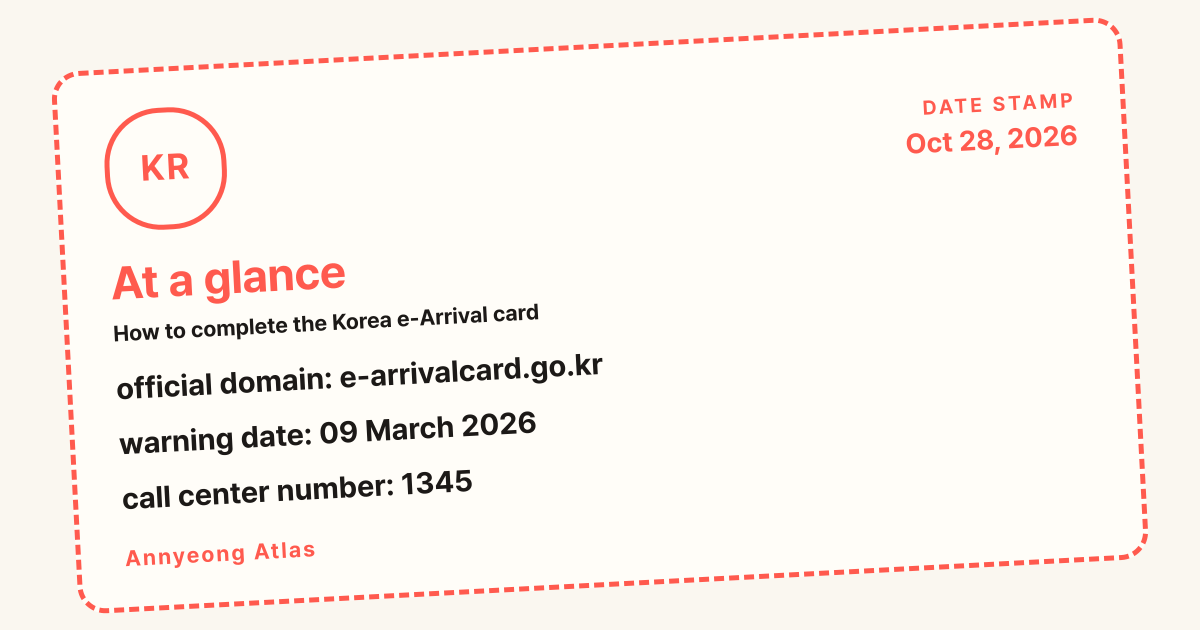
At a glance
- official domain: e-arrivalcard.go.kr
- warning date: 09 March 2026
- call center number: 1345
Completing travel paperwork correctly ensures a seamless entry into the country and prevents unnecessary border delays. Travelers should always use the official portal at e-arrivalcard.go.kr to submit their details safely before departure.
What you need before you start?
Before you begin filling out your digital paperwork, gather all necessary travel documents and identification to ensure the process goes smoothly. Having your valid passport ready is critical, as every single digit of your passport number, your full legal name, and your expiration date must match your physical document precisely. Even a minor typographical error in your passport details can cause significant delays at immigration control upon arrival at Incheon International Airport (인천국제공항) or other entry points. In addition to your passport, you need your confirmed flight details, including your flight number, airline name, and the exact date you expect to land in South Korea. You should also know your initial accommodation address in the country, such as your hotel name and street address in Seoul (서울) or Busan (부산), along with a working email address where you can receive confirmation notices. Travelers planning their itineraries can review helpful tips on the Plan hub for structuring their arrival schedules. Furthermore, keeping your digital tools accessible by visiting the Tools page will help you manage your connectivity and translation needs while navigating entry procedures.

Understanding the technical requirements of the digital portal is another essential prerequisite for a frustration-free experience. The submission system works best on modern web browsers running on an updated computer, tablet, or smartphone. Make sure your device has a stable internet connection so that the page does not time out while you are uploading or typing your information. It is also wise to prepare a digital copy of your passport photo page if the portal requests file uploads. Travelers who intend to explore local culinary hotspots immediately after clearing customs can browse recommendations on the Eat page to find great dining options near their lodging. Meanwhile, those who have not yet finalized their sleeping arrangements should check out the Stay section for curated accommodation choices across major metropolitan areas. Double-checking all these preparations before sitting down to complete the form will save you from scrambling for missing details halfway through the application process.
Security awareness is paramount when dealing with official government portals, especially given recent warnings regarding fraudulent imitations. The Ministry of Justice of the Republic of Korea periodically issues alerts about unauthorized websites that mimic official arrival platforms to harvest personal data or charge exorbitant fees. Always verify that your web browser’s address bar displays the correct government domain before entering sensitive personal information. Do not click on sponsored links in search engine results that lead to unverified third-party intermediaries offering expedited immigration paperwork for a heavy markup. If you encounter any suspicious links or experience technical glitches on the official platform, you can reach out for official assistance through the 1345 call center launched by immigration authorities. By staying vigilant and using only verified government channels, you protect your identity and ensure your travel authorization remains completely legitimate.
The final element of your pre-departure checklist involves reviewing current entry regulations to see whether you need an e-Arrival card alongside other travel permissions. Depending on your nationality and the passport you hold, you might also need to secure a Korea Electronic Travel Authorization, commonly known as K-ETA, well in advance of your trip. Visitors from eligible countries who benefit from visa-free entry arrangements must ensure their travel documents comply with all current Ministry of Justice guidelines. Read through our published overview on [p/1/](this guide) to understand how different entry permits interact with your specific itinerary. Being thoroughly prepared on all fronts guarantees that you will breeze through border checkpoints without encountering unexpected bureaucratic hurdles.
Step by step
Completing the digital arrival paperwork requires careful attention to each screen as you navigate through the official government portal. To help you visualize the workflow, the structured table below outlines the sequential actions you must take alongside their respective locations within the system.
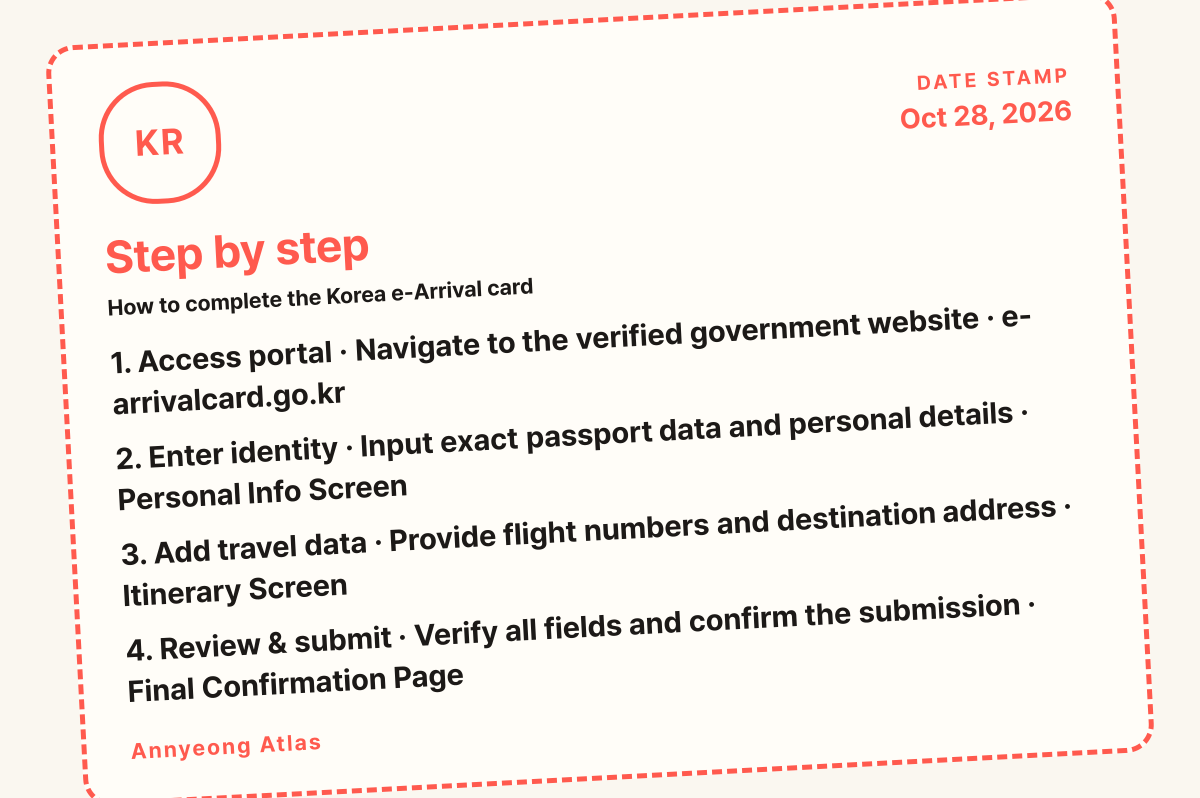
| Step | What you do | Where |
|---|---|---|
| 1. Access portal | Navigate to the verified government website | e-arrivalcard.go.kr |
| 2. Enter identity | Input exact passport data and personal details | Personal Info Screen |
| 3. Add travel data | Provide flight numbers and destination address | Itinerary Screen |
| 4. Review & submit | Verify all fields and confirm the submission | Final Confirmation Page |
Executing these steps methodically ensures that your electronic record is accurately logged into the immigration database before you board your flight. Follow this detailed checklist to verify your progress:
Once your submission is successfully processed, take a screenshot or print out the confirmation receipt to show border officials if requested upon landing. While immigration officers primarily rely on digital database lookups linked to your passport, having a physical or digital backup of your submission receipt provides peace of mind. If you spot an error after submitting your form, do not panic; simply contact the 1345 call center or check the portal for amendment options. Following these structured steps guarantees that your administrative entry requirements are fulfilled accurately and efficiently. Always confirm your status directly on the official platform, such as the Korea e-Arrival Card portal, to ensure your digital documentation remains fully updated. Keep in mind that travellers utilizing alternative entry pathways might need to reference the Welcome - K-ETA portal for parallel authorization rules. Furthermore, you can review broader administrative notices and updates via the Korea Immigration Service English website or the HiKorea information directory before you depart.
Where people get stuck
Many travelers encounter avoidable stumbling blocks when trying to complete their entry documentation due to minor oversights or interface confusion. One of the most frequent traps involves landing on deceptive third-party websites that use search engine advertisements to lure unsuspecting tourists into paying high fees for free government services. These lookalike portals often mimic official branding, leading users to believe they are on the legitimate Ministry of Justice site. Travelers must constantly verify that their browser URL matches the official government domain rather than a commercial agency promising expedited processing. Another common pitfall occurs when users enter their passport details with slight typographical errors, such as confusing the letter O with the number zero, or transposing digits in their birth date. Such discrepancies will cause automated mismatch alerts at immigration counters, resulting in frustrating delays while officers manually verify your identity.
Another area where applicants frequently get stuck is providing incomplete or inaccurate local address information for their stay in South Korea. The system requires a valid Korean address, such as a hotel name and street location in cities like Seoul (서울) or Busan (부산), yet some visitors attempt to leave these fields blank or enter vague descriptions. Furthermore, formatting issues with phone numbers and email addresses can prevent confirmation notices from arriving in your inbox, leaving you uncertain about whether your submission went through. Technical browser issues, such as blocked pop-ups or outdated software versions, can also freeze the form midway through completion. To prevent these headaches, clear your browser cache before starting, type all information slowly, and carefully cross-check every single field against your physical documents.
Navigating digital travel paperwork also requires awareness of specific procedural dates and official warnings. For instance, the Korea Immigration Service formally issued alerts regarding fraudulent e-arrival portals on March 9, 2026, urging foreign nationals to exercise extreme caution. If any unexpected payment screen requests a standard service charge exceeding standard guidelines, users should immediately recheck the official page where minor fees like 1000 KRW (approximately 0.75 USD) or alternative processing costs of 10,000 KRW (approximately 7.50 USD) are explicitly outlined, or confirm on the official page for the latest updates.
Travelers must also distinguish between separate entry requirements, such as the Korea Electronic Travel Authorization (K-ETA) program, which has maintained specific exemptions since July 16, 2024. Failing to understand whether your nationality requires a traditional visa, a K-ETA, or a supplementary arrival registration will inevitably halt your journey at the departure gate. Always cross-reference your travel status through official channels like the Korea Immigration Service English portal to ensure absolute compliance before boarding your flight.
How long it takes and what it costs
Setting aside adequate time to complete your arrival paperwork ensures you do not feel rushed while handling sensitive personal and travel data. On average, gathering your documents and filling out the online form takes about 10 to 15 minutes if you have all your flight details and passport readily at hand. First-time users might take slightly longer as they carefully verify each input field against their physical passport to prevent mistakes. It is best to complete this process a few days before your departure date so that you are not dealing with website glitches or connectivity issues at the airport terminal.

Regarding financial costs, completing the official e-Arrival card is entirely free of charge when performed through the legitimate government portal hosted by the Ministry of Justice (법무부). If any website prompts you to enter credit card details or demands a processing fee to submit your arrival card, you are on a fraudulent intermediary site and should close the browser immediately. Travelers should also keep in mind that other entry requirements, such as a K-ETA, carry their own official government fees, which are explicitly stated on their respective official domains like the K-ETA official application. For instance, a K-ETA application typically costs 10,000 KRW (approximately 7.50 USD), and you must confirm current fee structures directly on official government pages to avoid falling victim to financial scams targeting foreign tourists.
Before you set off on your journey, ensure your passport remains valid for the duration of your stay and keep your digital confirmation receipts easily accessible on your mobile device. Travelers exploring historical destinations like Gyeongbokgung (경복궁) will appreciate having their arrival formalities sorted well in advance. Keep in mind that official notices regarding electronic arrivals were updated around 2026/07/16, so checking the Korea e-Arrival Card portal before you fly is essential for a smooth trip.
More Korea guides: K-ETA who needs it in 2026: Answers to 8 Questions.
Q&A
Is the Korea e-Arrival card mandatory for all foreign visitors?
The requirement applies to specific travelers based on current immigration policies set by the Ministry of Justice. Always check the official portal to confirm if your specific nationality and travel status require this submission before boarding your flight.
What should I do if I make a typo on my submitted form?
If you notice an error after submission, check the official portal for correction options or seek guidance by calling the 1345 immigration helpline. Correcting major passport errors before departure prevents lengthy questioning at the border.
Can I fill out the arrival card on my smartphone?
The digital portal is optimized for mobile browsers, allowing you to complete the form easily using a smartphone or tablet. Ensure you have a stable internet connection and an updated browser to prevent interface freezes during data entry.
How do I know if a website is a fake e-Arrival card scam?
Official government services will never charge a processing fee to submit a standard arrival card. If a site demands payment or uses a non-government domain extension, leave the page immediately and navigate to the official portal.
Do I need to print out a physical copy of my confirmation?
While immigration officers access your records digitally through your passport scan, keeping a digital screenshot or printed receipt serves as a useful backup. Having this record readily accessible on your device ensures you can quickly verify your submission if requested.
Related guides

K-ETA who needs it in 2026: Answers to 8 Questions
K-ETA who needs it in 2026: Travelers from eligible visa-waiver countries need a K-ETA unless they fall under specific temporary exemptions valid…

Seoul in 3 Days: Itinerary
To complete a well-paced 3-day Seoul itinerary, focus your trip on major cultural landmarks like Gyeongbokgung (경복궁), scenic walking trails such as the…

Korea autumn leaves 2026
Korea autumn leaves 2026 peak across the country from mid-October through mid-November.

Best areas to stay in Seoul
Best areas to stay in Seoul: When researching the best areas to stay in Seoul, first-time international travelers should prioritize central districts…